
AI Age Progression Explained: How It Works, Accuracy, and Photo Tips
AI age progression can create a convincing older-looking portrait, but it should be read as a visual simulation rather than a promise about the future. This guide explains the process, the limits, and the photo choices that make the result easier to review.
What Is AI Age Progression?
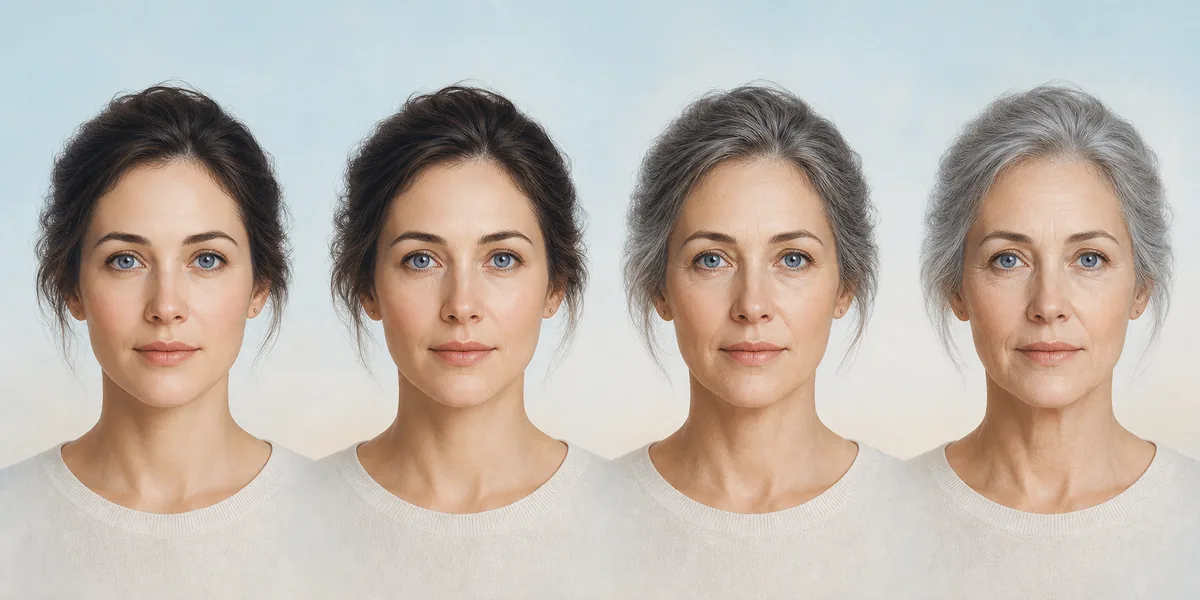
AI age progression is an image-editing process that uses a portrait as a starting point and creates an older-looking version by changing visual age cues. Depending on the system, those cues can include skin texture, hair color, facial volume, shadows, and the appearance of lines around the eyes or mouth. The aim is to keep the person recognizable while applying a plausible age direction.
The result is not a medical forecast, an identity document, or proof of how someone will age. A single photo does not contain a person’s genetics, health history, lifestyle, sun exposure, expression changes, or future hairstyle. Treat the output as a creative preview that is useful for comparison and curiosity, not as a factual prediction.
How Does AI Age Progression Work?
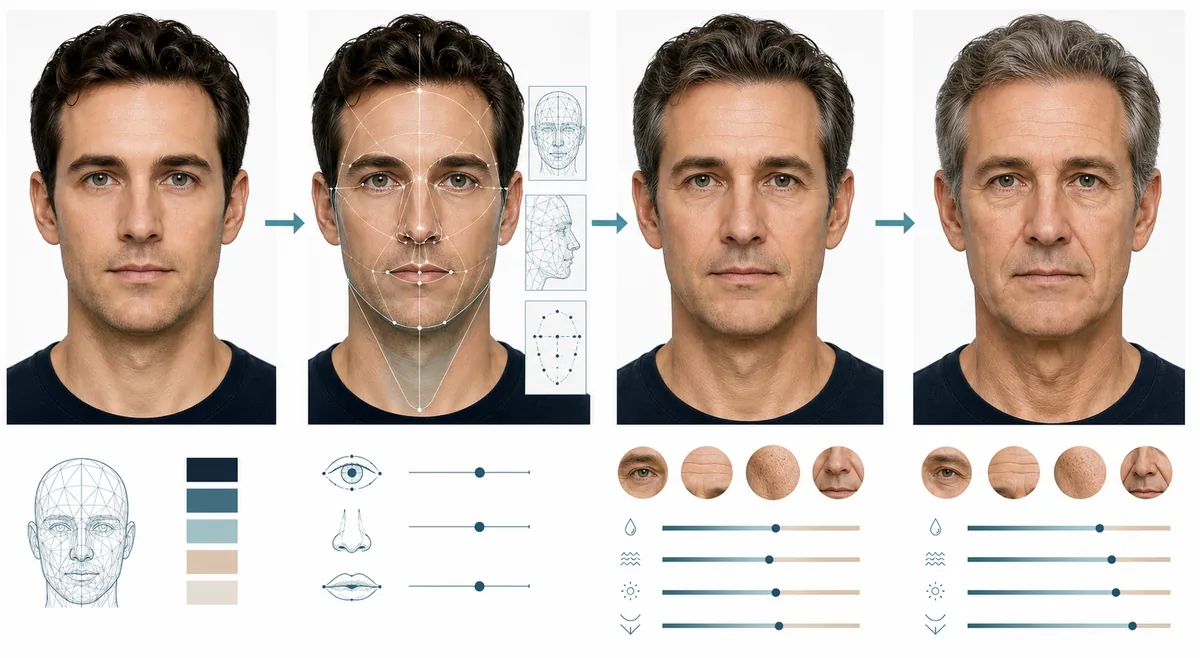
The exact model architecture varies, but most AI age progression tools follow a similar visual logic. They first interpret the source portrait, then generate changes that match the requested age direction while trying to keep important identity cues stable.
This is why the input photo and the review step matter as much as the prompt or age setting. A low-resolution, heavily filtered, or partly hidden face gives the system less reliable information to preserve.
Read the source portrait
The system looks for visible facial structure, lighting, pose, hair, skin texture, and the boundaries of the face. A clear single-person portrait gives it a cleaner starting point than a group photo or a dark, cropped image.
Separate identity from age cues
Useful identity cues include the general face outline, eye spacing, nose shape, mouth position, and expression. Age cues are more changeable: fine lines, hair color, skin texture, and soft-tissue volume can shift without changing the whole person.
Generate a directed edit
The model creates a new image that follows the requested direction, such as making a young adult look older. It may also reinterpret lighting, hair, clothing, or background details, so the result should be checked for changes outside the intended age effect.
Balance realism and identity
A strong result is not simply the one with the most wrinkles. It should still resemble the source person, avoid distracting artifacts, and use age cues that fit the pose and lighting instead of layering on a generic old-age filter.
Review before sharing
Compare the original and generated images side by side. Look at the eyes, jawline, expression, hairline, background, and skin texture before downloading, posting, or using the image in a creative project.
How Accurate Is AI Age Progression?
Accuracy depends on what you mean by accurate. A tool may produce a coherent older-looking face while still being unable to predict the real person’s future appearance. Even a photorealistic result can contain invented details, and a visually attractive result can still drift away from the source identity.
Use the output as a range of possible visual interpretations. If two settings create different but believable results, that is not necessarily a failure; it is evidence that the image is a generated scenario rather than a measurement.
| Visible signal | What the model may change | What to review |
|---|---|---|
| Skin texture | Fine lines, pores, dryness, and contrast around the eyes or mouth | Look for repeated patterns, plastic-looking skin, or texture that overwhelms the face. |
| Hair and color | Gray strands, hair density, hairline, and overall tone | Confirm that the hair change does not become an unrelated hairstyle or a new person. |
| Facial volume | Cheek fullness, jaw softness, eyelid shape, and shadow placement | Compare the face outline and expression so age cues do not become identity drift. |
| Lighting and background | Contrast, color temperature, clothing, or small background details | Separate the intended age effect from unrelated changes introduced by generation. |
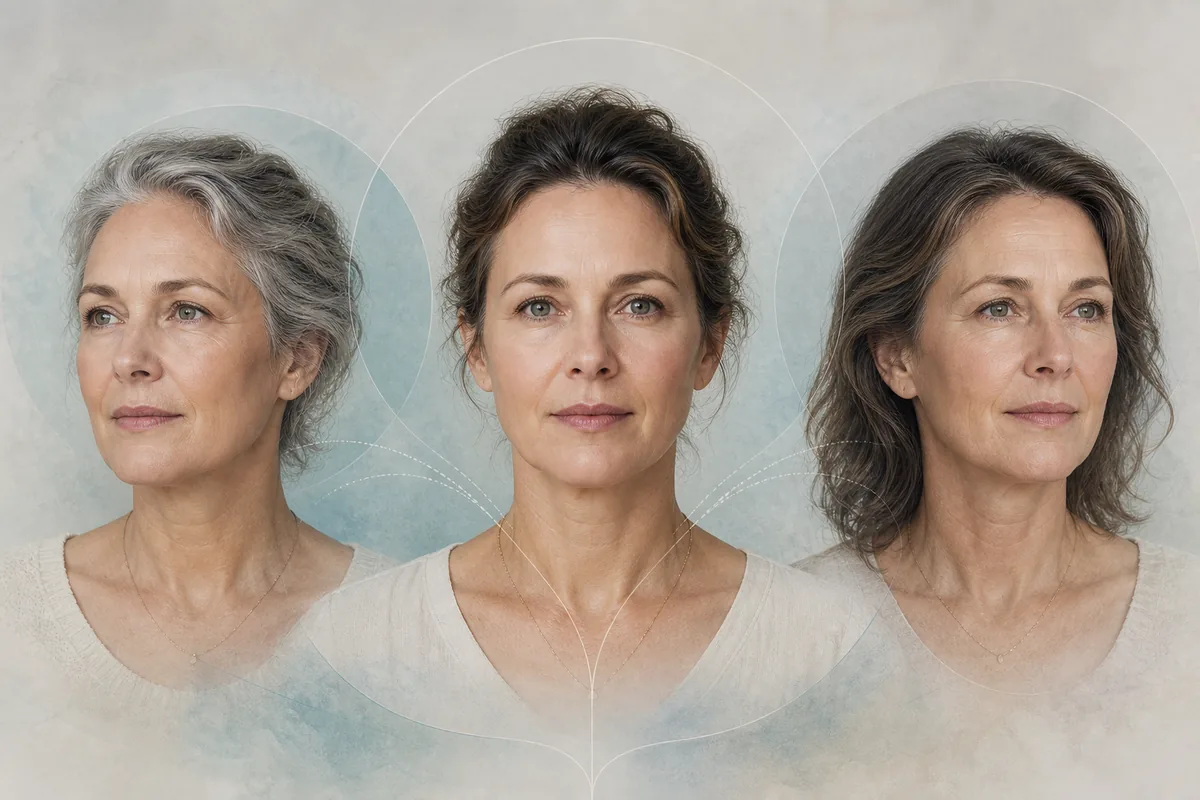
Photo Tips for Better AI Age Progression
The model can only work with information that is visible in the source. You do not need a professional studio portrait, but you should choose an image that makes the face easy to inspect. A better input also makes the before-and-after comparison more useful.
Start with a moderate age change. Extreme settings can amplify small errors, change the person’s expression, or produce a novelty effect instead of a believable progression. You can always compare another setting after you understand the baseline result.
Use one visible face
Choose a single-person portrait with the eyes, nose, mouth, jawline, and forehead visible. Group photos make it harder to identify which features should be preserved.
Prefer even lighting
Soft, balanced light helps distinguish real facial structure from deep shadows. Avoid harsh backlight, heavy color casts, or a face that is mostly hidden.
Reduce obstructions
Sunglasses, masks, hands over the face, large hats, and strong beauty filters remove information the model may need for a stable result.
Keep useful resolution
A sharp portrait gives the system more visible detail. Avoid screenshots of tiny images, extreme compression, or photos that are already blurry.
Compare identity first
Before judging realism, check whether the eyes, face outline, expression, and general proportions still feel like the same person.
Use a photo you can edit
Only upload a photo you own or have permission to use. Be especially careful with children’s images and photos of people who have not agreed to the edit.
Privacy and Responsible Use
A face photo can be personal data, and an AI-aged version can still be linked to the person in the original image. Read the service’s privacy information before uploading, understand whether files are retained, and avoid sharing someone else’s portrait without consent.
Do not use an AI age progression result to bypass age checks, impersonate a person, make a sensitive decision about someone’s real age, or present a generated face as an authentic record. The safest use is a clearly identified creative preview, personal experiment, or permitted design concept.
Sources and Further Reading
These references provide broader context for evaluating AI systems and handling personal information. They do not turn an AI-aged portrait into a factual forecast.
- NIST AI Risk Management Framework — A primary reference for thinking about trustworthy AI, limitations, and risk management.
- AI Age Filter Privacy Policy — Review the site-specific information before uploading a personal photo.
Explore Related Age Tools and Guides
AI Age Progression FAQ
Ready to Compare an Age Progression Result?
Use a clear portrait, start with a reasonable age direction, and review the output as a creative simulation rather than a prediction.
Open Age Progression Photo