
AI Age Filter Online — See Your Future or Younger Self
Upload a portrait and use AI to make a face older, younger, or de-age a photo online. Choose a target age, compare the before-and-after preview, and download a natural-looking result without a watermark.
Upload Your Photo
Drag & drop or click to upload
Supports: JPG, PNG, BMP · Max 10MB · Front-facing portrait recommended
Before / After
Upload your photo, then compare the result here.
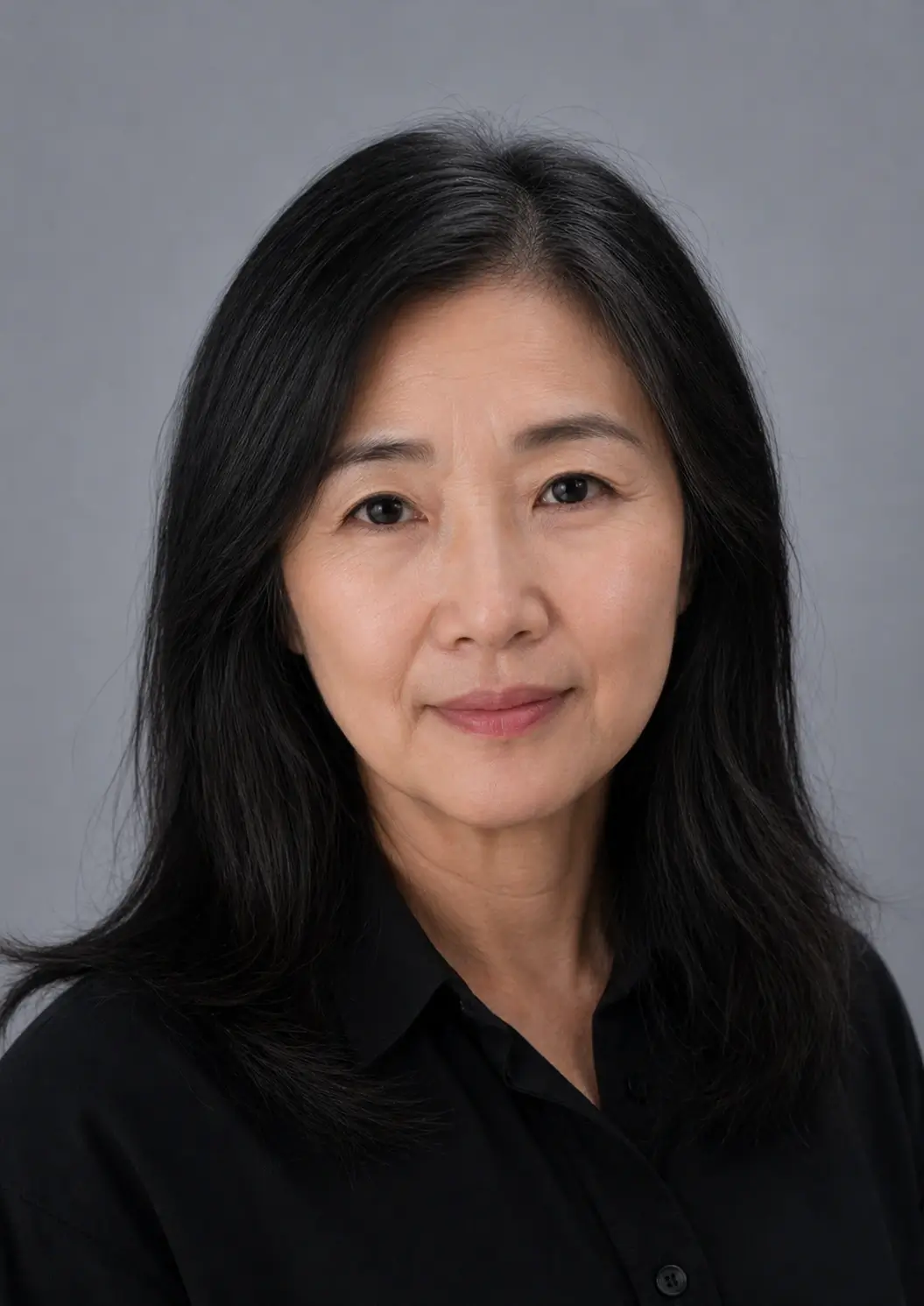
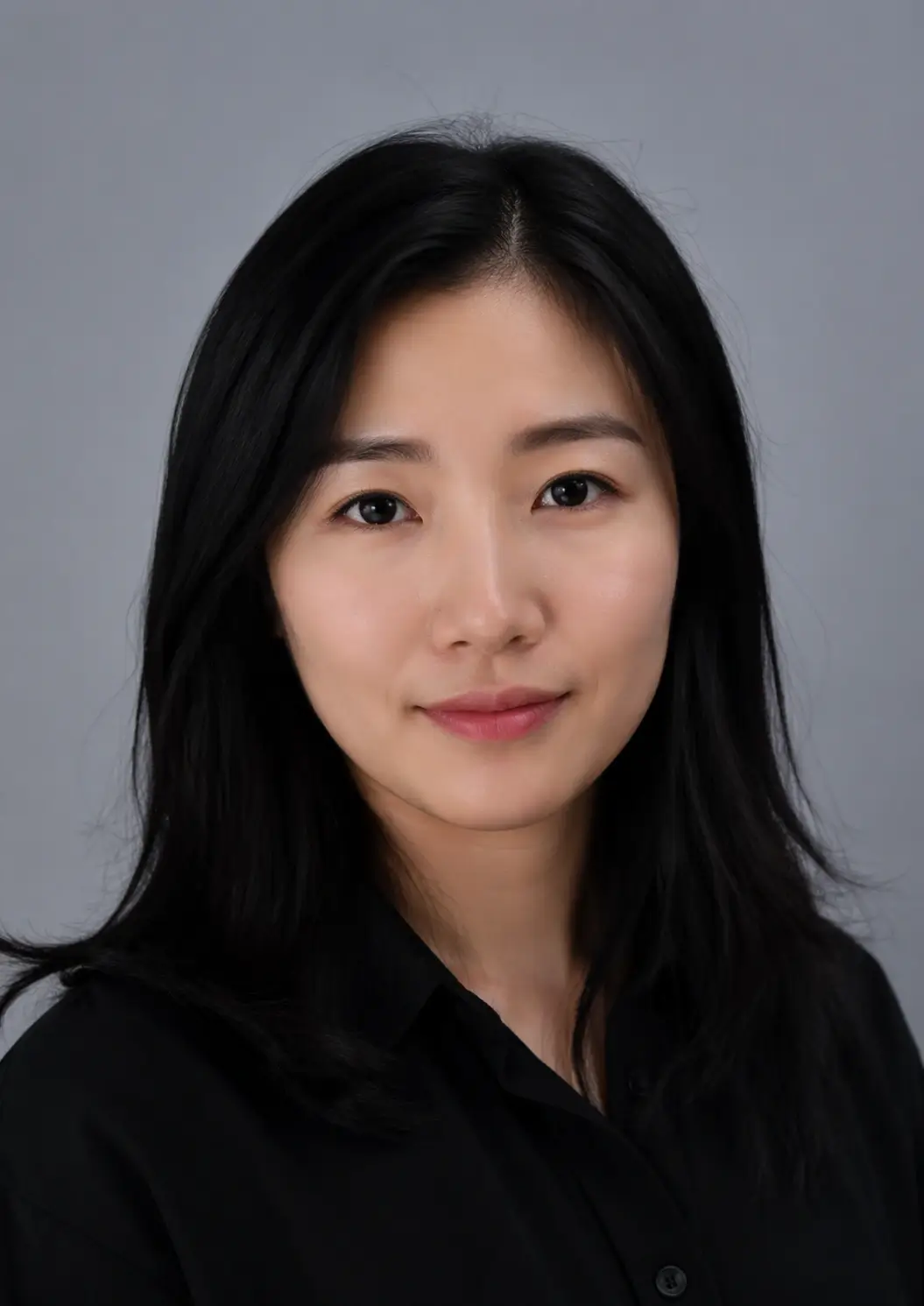
How to Use the Age Progression Tool — 3 Simple Steps
Upload Your Portrait
Choose a clear, front-facing photo from your device. JPG, PNG, or BMP format. Best results with even lighting and a fully visible face. Max file size 10MB. The clearer the photo, the more realistic your age transformation will look.
Choose Your Age Transformation
Select "Make Me Older" to preview your future self, or "Make Me Younger" to de-age your photo. Drag the age slider to set your target age between 1 and 99 years. You can try multiple age targets on the same photo.
Download Your Aged Photo — No Watermark
Click Generate to create your AI-aged photo. Preview the before-and-after comparison side by side, then download your watermark-free result when it's ready.
Why Choose This AI Age Filter Online
Natural-Looking Age Transformations
Our AI age filter aims to add or soften age-related details such as skin texture, facial volume, and hair changes while keeping the portrait recognizable. Results vary by photo quality and target age, but clear front-facing photos usually look the most convincing.
Two-Way Time Travel: Age Up or De-Age
Not limited to one direction. Make yourself older to see your future self or younger to revisit your past. Explore the full transition from young to old and old to young with a single click and a simple age slider.
Your Photos Are Handled Securely
Photos are processed on secure servers. Uploaded photos and generated outputs may be retained for a limited period to support downloads, prevent abuse, and troubleshoot issues, as described in our Privacy Policy. We do not use your uploaded photos to train our models.
Fast Browser-Based Results
Most generations complete after a short wait, depending on image size, model response time, and current demand. Everything runs online in your browser workflow, so there is no app to install.
Simple Credit-Based Access
Upload a photo, choose a target age, and generate when you're ready. Each generation costs 2 credits. Sign in to manage purchases, credits, and your generation history.
Watermark-Free Downloads
Generated results are delivered without a watermark, making them easy to save, share, or use in creative projects. Subject to our Terms, you can use your results for personal or commercial purposes.
Who Uses the Age Filter Online?
Create Shareable Before-and-After Posts
Upload your portrait, apply the age filter, and create a before-and-after image for social posts, profile updates, or personal projects. It is a quick way to turn one portrait into a more eye-catching transformation.
See How You'll Look When You're Older
Ever wondered how you might look in the future? Our AI aging simulator creates a visual preview of an older or younger version of your face. It is meant for creative exploration, not as a literal prediction.
Character Design & Film Pre-Visualization
Character designers, indie filmmakers, and marketing teams use our age progression tool to visualize characters at different life stages, create compelling "then and now" campaigns, and build age-based visual narratives — without hours of manual retouching.
Fun Aging Filter for Family & Friends
See what the kids might look like as grandparents, or turn grandpa into a toddler. Our online aging tool makes family gatherings more memorable and gives you playful results you can save or print.
AI Age Filter Online for Age Progression and De-Age Photos
Searchers often want one of three workflows: seeing a future older self, making a photo look younger, or understanding what an age filter does before uploading a portrait. This page keeps the tool first and explains each path in crawlable text.
See how you may look after 10 years
Move the age slider above your current age to create a future-self preview. Use moderate targets for a more believable age progression photo, or a larger change for creative comparison posts.
Try the age progression toolDe-age photo online
Move the target age lower to create a younger-looking portrait. For a dedicated younger-photo workflow with extra tips, use the de-age photo page.
Open de-age photo toolWhat is an age filter?
An age filter uses AI image editing to adjust age-related cues such as skin texture, facial fullness, hair tone, and contrast while trying to keep the person recognizable.
Read the FAQBest input for realistic results
- Use a single clear face rather than a group photo.
- Avoid sunglasses, heavy shadows, or very low-resolution images.
- Treat the result as a creative simulation, not an exact prediction.
See the Results — Before & After Age Transformation
Sample transformations created with our AI aging photo generator. Drag the slider to compare, then upload your own photo to create a personalized result.
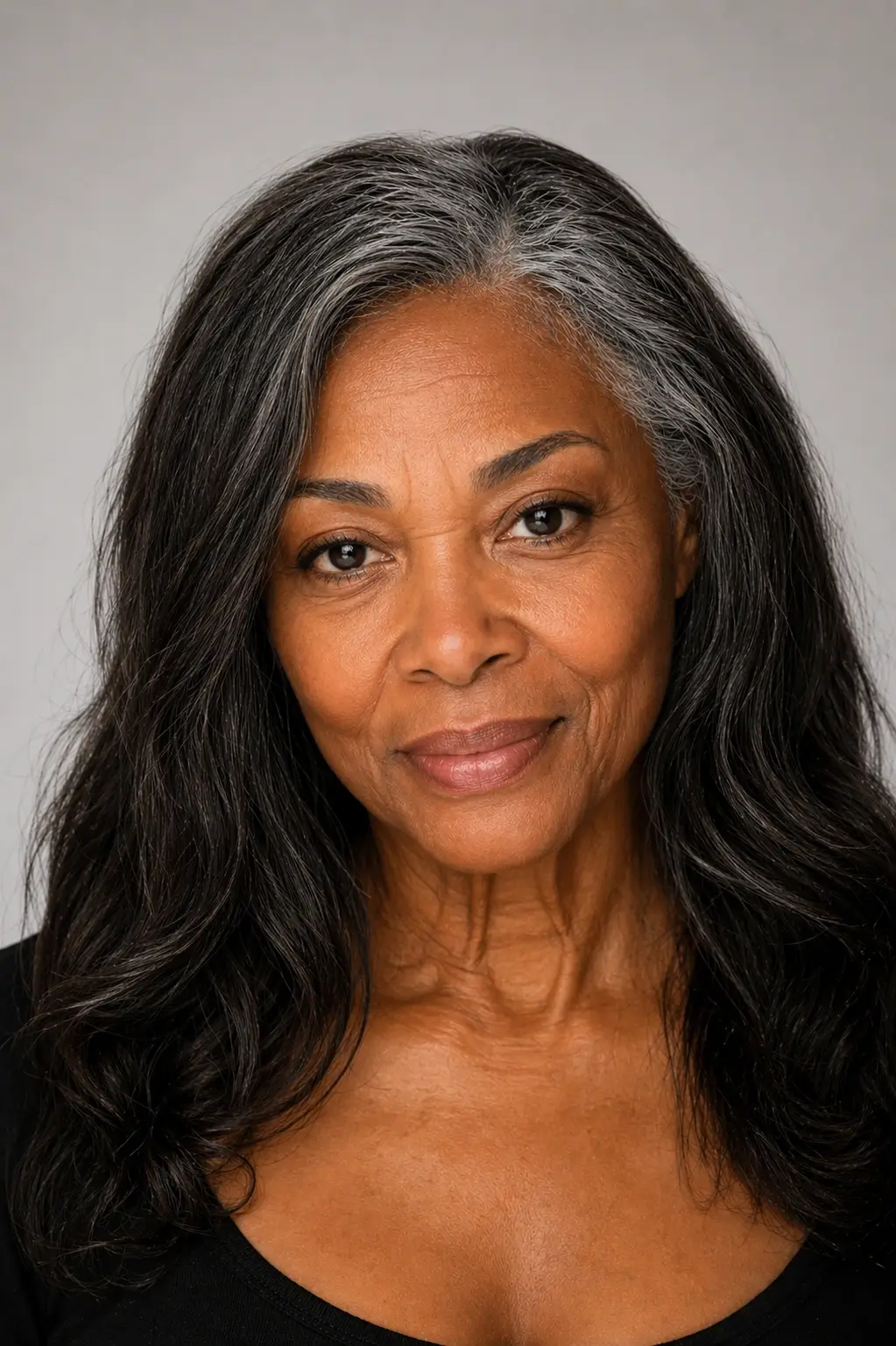
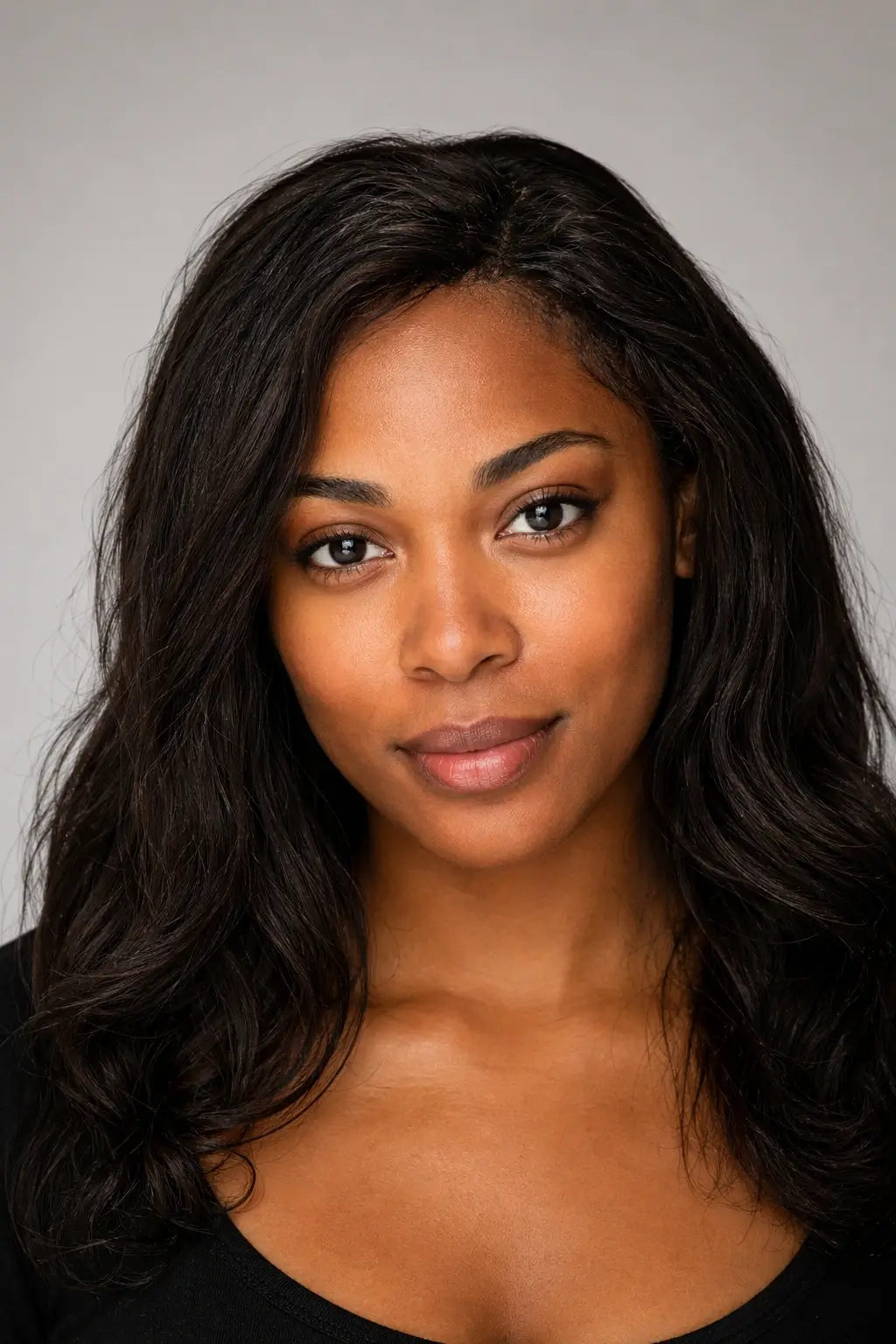
The Science Behind Our Face Aging Simulator
Prompt-Guided AI Image Editing
When you upload a portrait, our system sends it to an image generation model with instructions about the target age. The model creates a new version of the photo by adjusting age-related cues such as skin texture, hair tone, and facial volume. Results depend on the source image, the target age, and the model's interpretation, so they should be viewed as creative simulations rather than exact predictions.
The model may adjust cues such as:
- Skin texture, including smoother skin or more visible lines
- Facial fullness and contour in cheeks, jaw, and lips
- Tone and contrast shifts that suggest a younger or older appearance
- Hair cues such as darkening, graying, or thinning
- Overall consistency so the edited portrait still resembles the original photo
The goal is a believable age-shifted portrait that still feels like the same person.
Designed to Keep the Portrait Recognizable
A strong result should still look like you, with the main facial traits remaining recognizable while age-related details change. Because this is AI image generation, some photos will look more convincing than others, and trying a different image or age target can improve the result.
This makes our tool ideal for:
- Exploring a fun older-or-younger portrait variation
- Creating before-and-after content for social media or personal projects
- Quick concepting for characters, mockups, or campaign ideas


Frequently Asked Questions
Ready to See Your Future Self?
Upload a photo and preview an older or younger version of yourself. Watermark-free results, simple credit-based pricing, and secure photo handling.